
Have a question? Enter a search term. Or give us a call at 1-888-518-0818

Mission Control Intelligence continuously monitors your live schedule, technicians, appointments, and waiting list to help dispatchers make faster, smarter scheduling decisions.
Instead of manually searching for conflicts, schedule gaps, delayed appointments, or revenue opportunities, Intelligence automatically surfaces recommendations in one centralized panel with suggested actions and real-time updates.
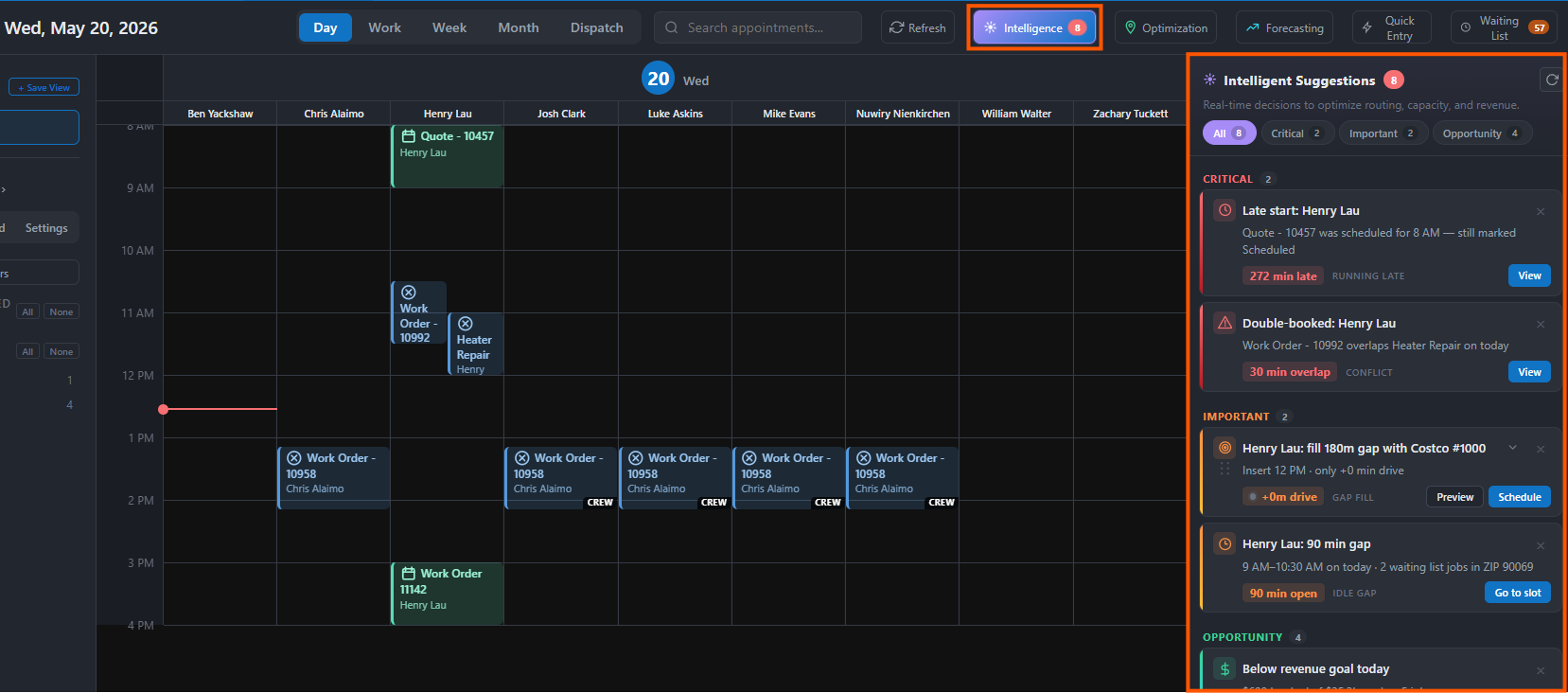
Mission Control Intelligence helps you:
● Detect double-booked appointments
● Identify technicians running behind schedule
● Find open schedule gaps and revenue opportunities
● Highlight underbooked or overloaded technicians
● Suggest the best technician and time slot for waiting-list jobs
● Validate customer scheduling restrictions automatically
● Preview recommendations before applying changes
All recommendations update in real time and are prioritized by urgency.
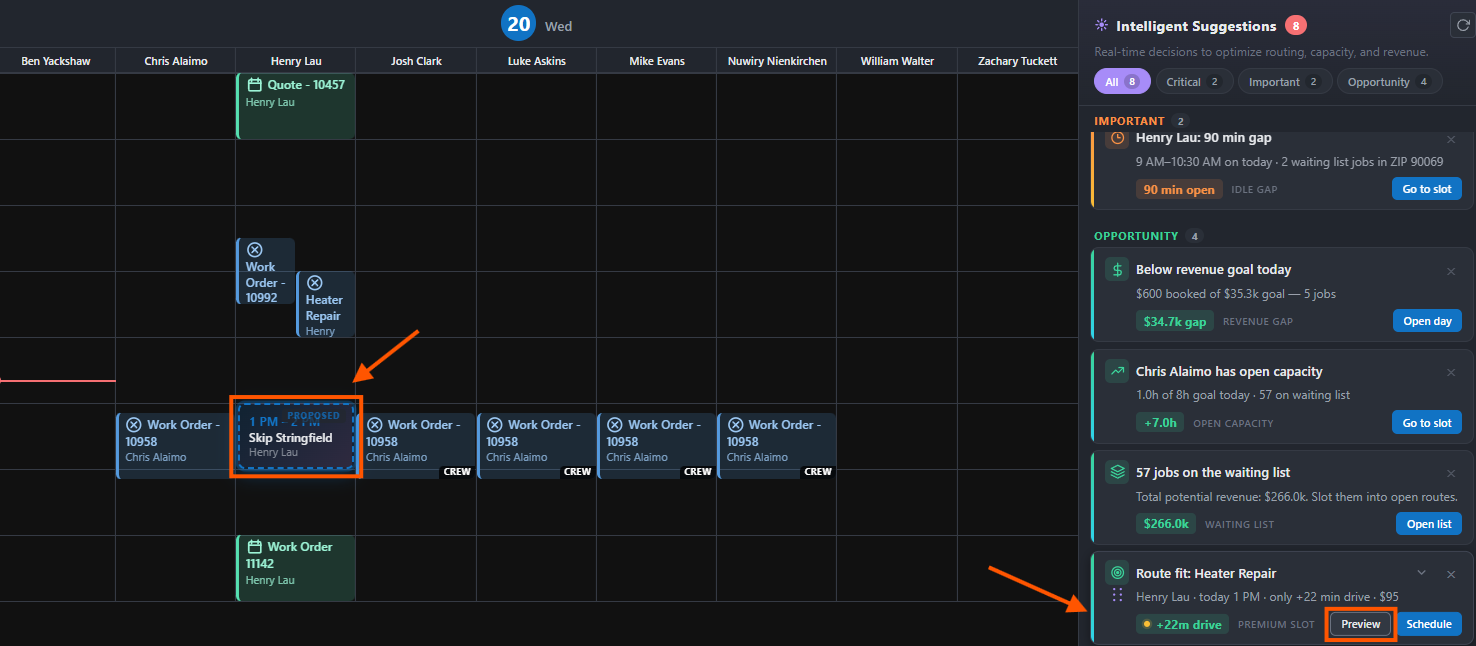
1. Open Mission Control in Smart Service Cloud
2. Select "Intelligence" from the Toolbar
The panel automatically loads live recommendations based on your current schedule and waiting list.
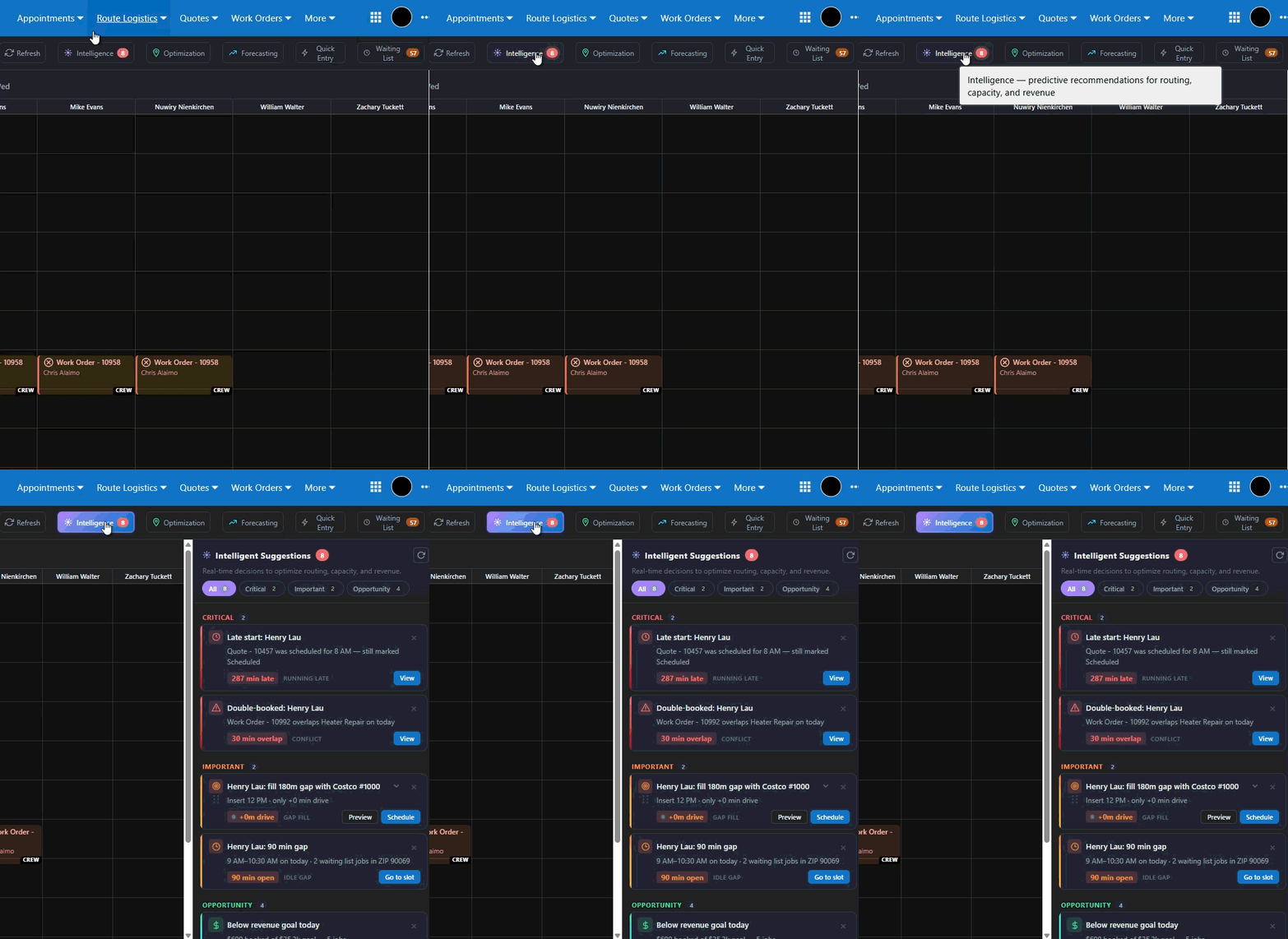
Mission Control categorizes recommendations into three priority levels:
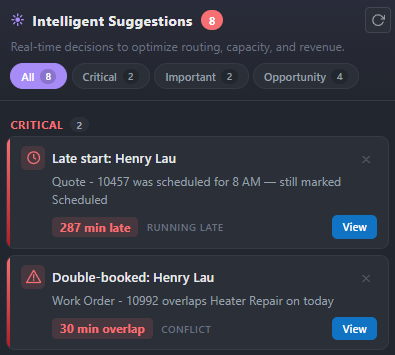
Critical: Requires immediate attention.
Examples:
● Double-booked appointments
● Technicians running late
● Unassigned appointments happening soon
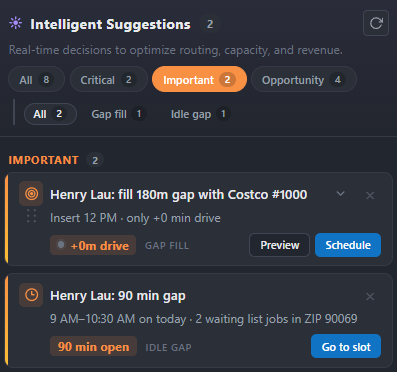
Important: Operational opportunities or warnings.
Examples:
● Large schedule gaps
● Overbooked technicians
● Open capacity
● Gap-fill opportunities
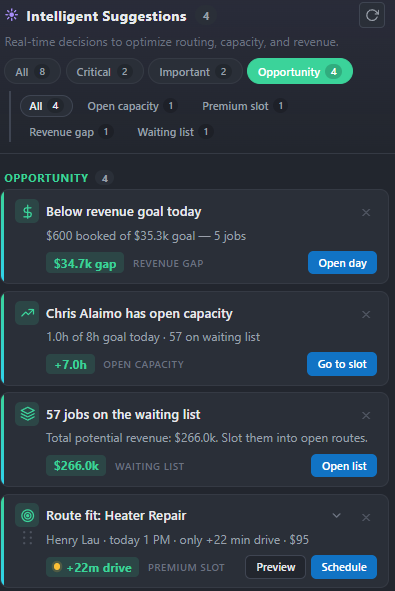
Opportunity: Revenue and optimization opportunities.
Examples:
● Waiting-list jobs that fit existing routes
● Revenue gaps
● High-value schedule openings
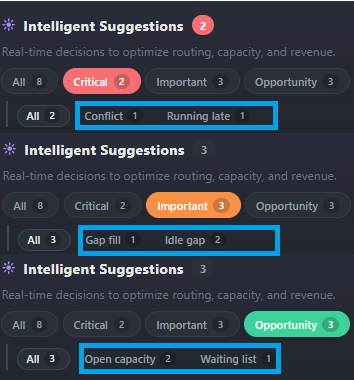
Use filters to focus on:
● All recommendations
● Critical issues
● Important alerts
● Opportunities
Additional category filters may appear depending on the selected view.
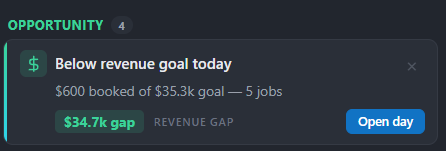
Each suggestion card includes:
● A description of the issue or opportunity
● Estimated scheduling or revenue impact
● Suggested actions
● Technician and scheduling recommendations
Cards update automatically as schedules change.
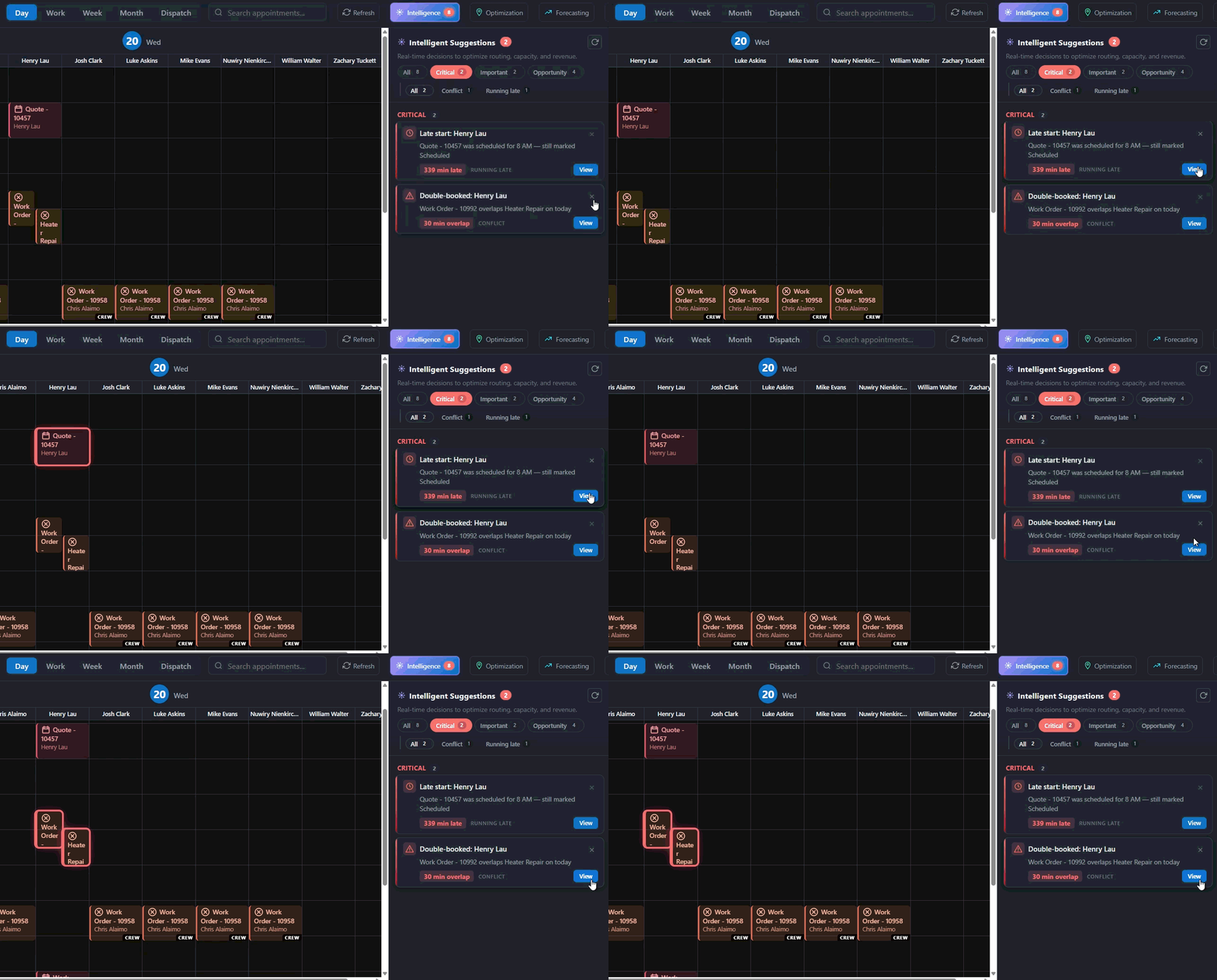
View Scheduling Issues
Use the "View" option to quickly locate:
● Conflicting appointments
● Delayed technicians
● Schedule issues
Mission Control will highlight affected appointments directly on the calendar.
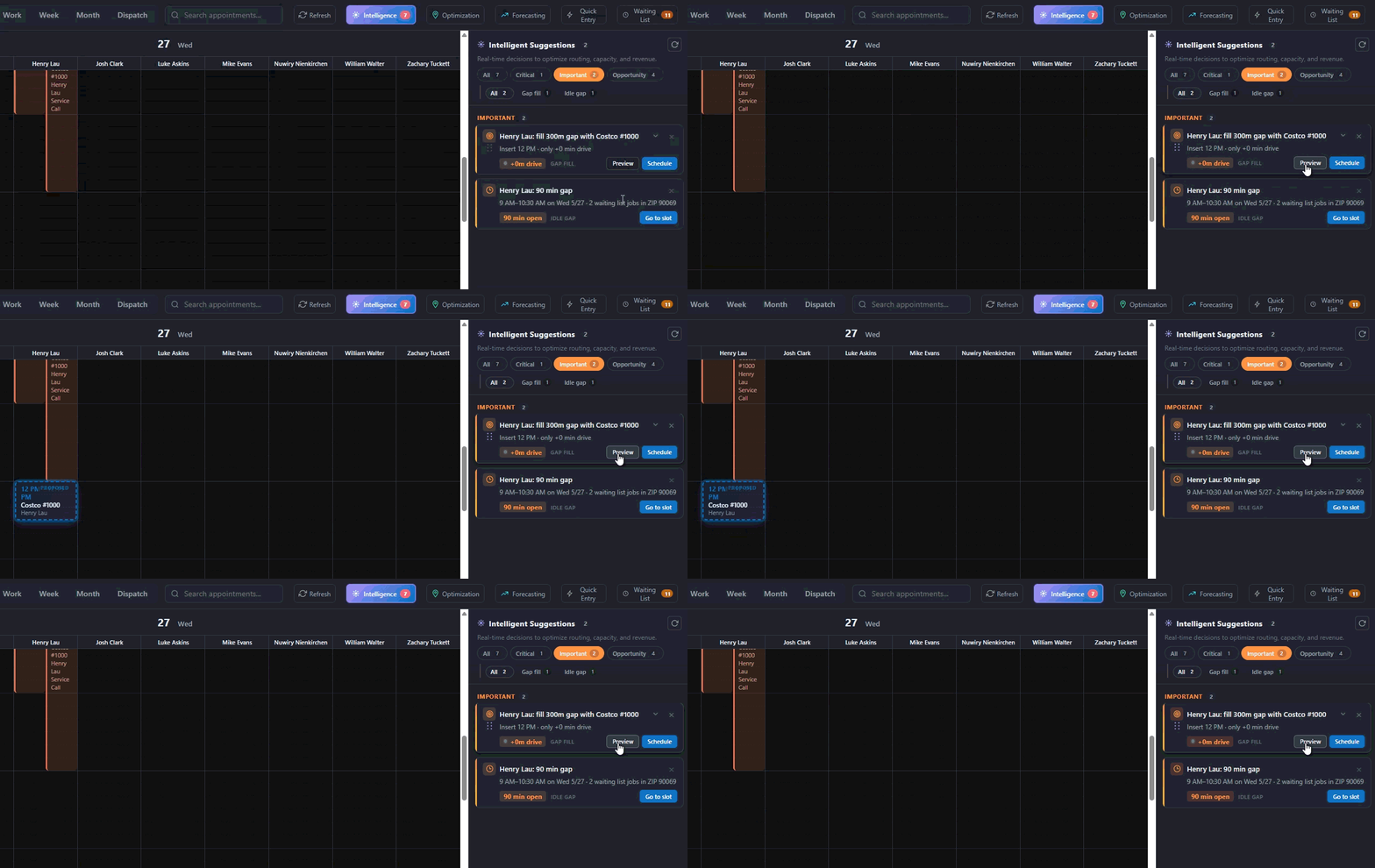
Preview Recommendations
Use "Preview" to temporarily display:
● Suggested appointment placement
● Recommended technician
● Proposed time slot
Preview mode does not make schedule changes.
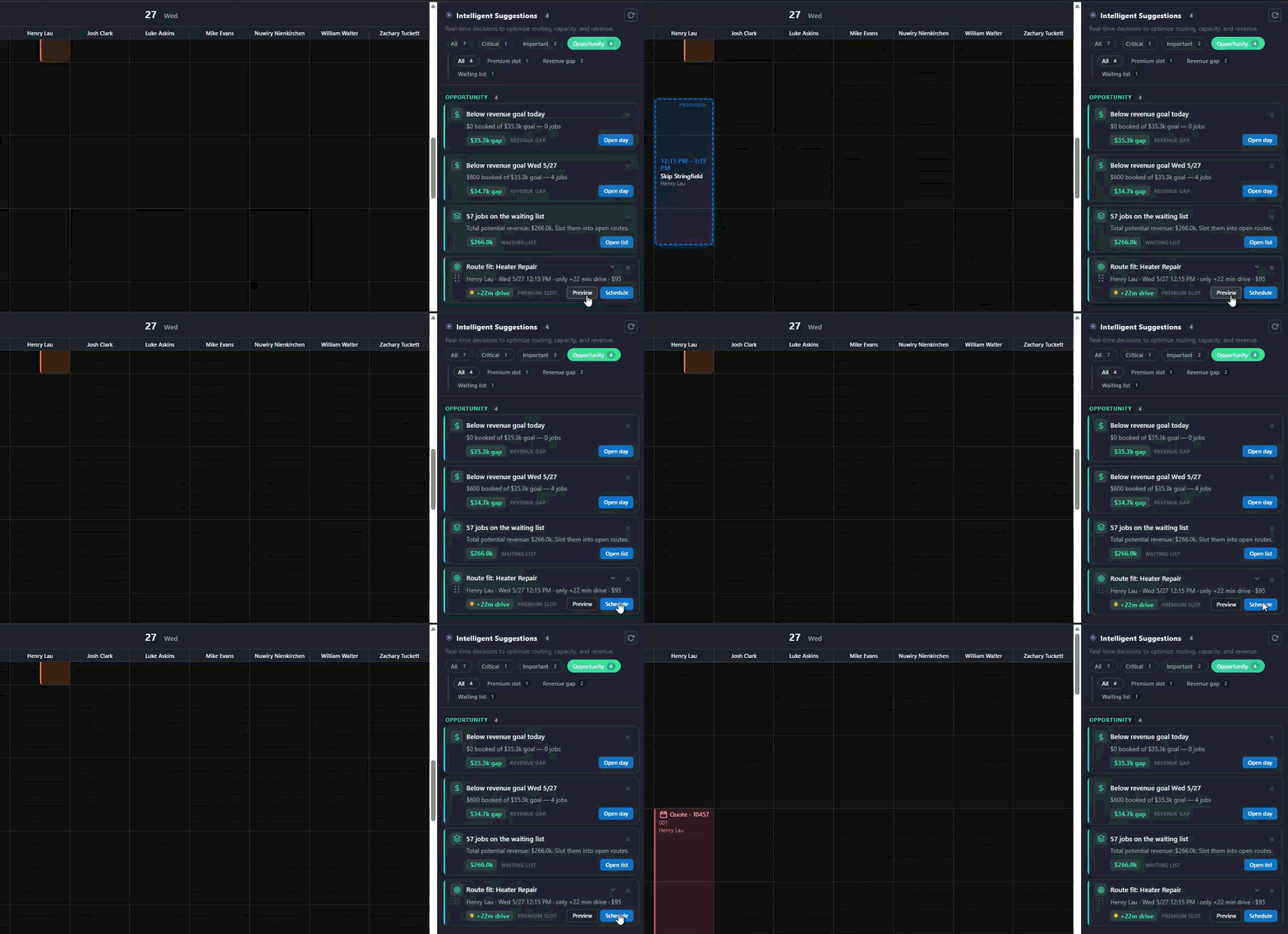
Schedule Recommendations
Select "Schedule" to automatically:
● Assign the technician
● Schedule the appointment
● Update the calendar
● Remove the item from the waiting list
Changes apply immediately.
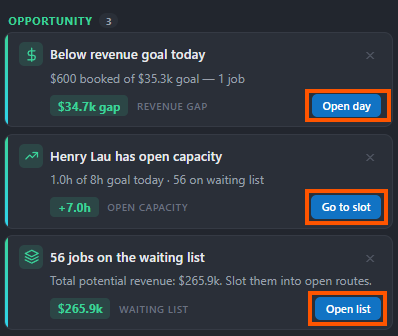
Intelligence suggestions provide several interactive tools for managing opportunities:
● Open Day: This highlights the specific date on your calendar and opens the view to where open time slots are available for scheduling jobs.
● Go to Slot: This command directs Mission Control to highlight the available time for employees directly on your calendar.
● Open List: Selecting this opens the waiting list, enabling you to drag-and-drop pending jobs directly onto the calendar for dispatching.
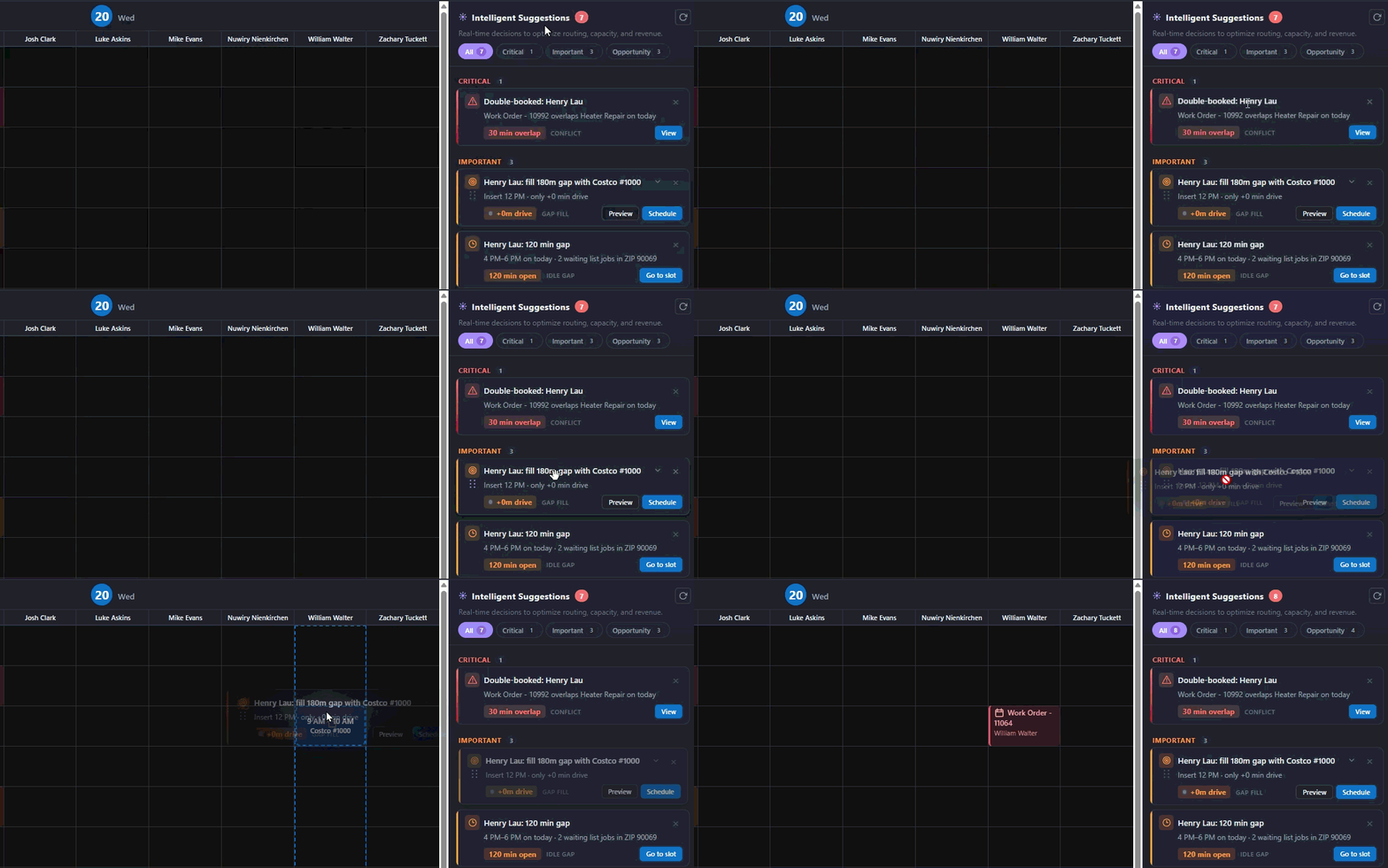
Many recommendations can also be manually dragged onto the calendar for greater control over scheduling.
If you hover over the card and your mouse pointer turns into a hand, simply drag a recommendation card onto a technician’s schedule to place the appointment.
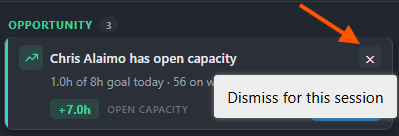
If a recommendation is not relevant, select the dismiss option to hide it for the current session.
Dismissed items do not affect scheduling data.
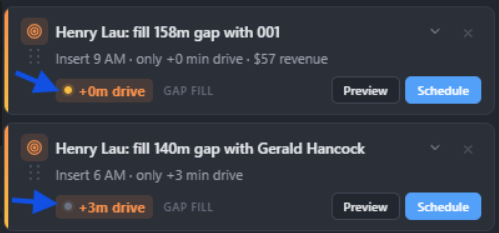
Recommendations include confidence indicators to help evaluate scheduling quality:
● Green = High confidence
● Yellow = Medium confidence
● Gray = Lower confidence
Confidence is based on factors such as:
● Drive-time efficiency
● Customer availability
● Revenue opportunity
● Scheduling feasibility
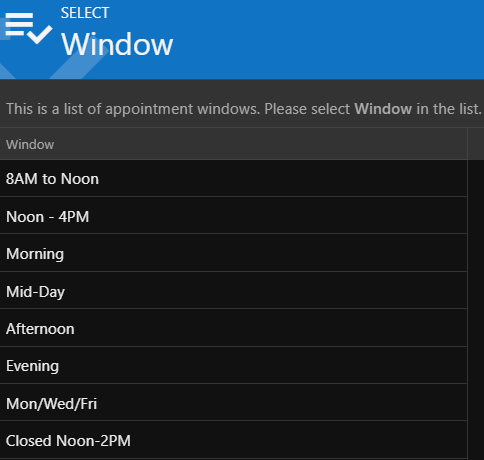
Mission Control automatically validates customer availability restrictions when generating recommendations.
Supported scheduling rules include:
● Morning only
● Afternoon only
● Specific weekdays
● Lunch closures
● Custom time windows
Suggestions that conflict with customer restrictions are automatically downgraded or excluded.
Mission Control identifies schedule gaps and recommends waiting-list jobs that fit naturally into existing routes.
Recommendations consider:
● Drive-time impact
● Appointment duration
● Revenue opportunity
● Route efficiency
● Customer availability
This helps improve technician utilization and reduce unnecessary drive time.
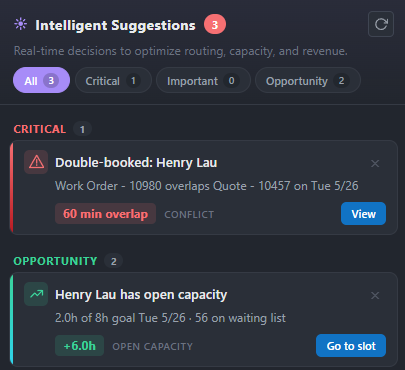
Mission Control continuously monitors technician workloads and alerts dispatchers when:
● A technician is overloaded
● A technician has too much open capacity
● Scheduling goals may be at risk
This allows schedules to be adjusted proactively throughout the day.
For the best experience:
● Review the Intelligence panel throughout the day
● Address Critical alerts promptly
● Use Preview before applying major schedule changes
● Monitor Gap Fill opportunities regularly
● Keep customer availability information updated
● Recommendations update automatically in real time
● Suggestions are based on currently loaded schedule and waiting-list data
● Customer restrictions are validated automatically when possible
● No schedule changes occur until a recommendation is scheduled or manually placed
Traditional scheduling tools only display the calendar.
Mission Control Intelligence actively helps manage it by automatically identifying:
● Scheduling conflicts
● Open schedule gaps
● Delayed technicians
● Revenue opportunities
The result:
● Better technician utilization
● Faster dispatcher decisions
● Reduced scheduling conflicts
● Increased revenue opportunities
● Improved customer experience